Delta Blox Fruits Script
Are you looking to run or execute Blox Fruits script using Delta Executor? If so, you’ve landed in the perfect place.
While there are many Roblox executors available online, Delta Executor (also known as Delta Exploit) is currently one of the most popular and reliable tools among players.
Since our platform focuses entirely on Delta Executor, we aim to cover everything that Delta users search for — from installation guides to script execution tutorials.
No matter which Roblox exploit you use on mobile or PC, Blox Fruits is usually the first game players try to script — and Delta users are no different.
If you’re here to learn how to execute Blox Fruits scripts through Delta Executor, don’t worry — we’ve got you covered.
Table of Contents
All Blox Fruits Scripts (2025)
Note: After the Dragon Update, several Blox Fruits scripts stopped working due to patches. Only a few remain functional at the moment.
We’ll keep this post updated as new, working scripts for Blox Fruits Update 27 become available.
Here are some of the best currently working Blox Fruits scripts you can try right now:
Min Gaming Hub Script
loadstring(game:HttpGet(“https://raw.githubusercontent.com/LuaCrack/Min/refs/heads/main/MinXt2Eng”))()New RedZ Hub Script
local Settings = {
JoinTeam = “Pirates”; — Pirates/Marines
Translator = true; — true/false
}
getgenv().BETA_VERSION = true
loadstring(game:HttpGet(“https://raw.githubusercontent.com/tlredz/Scripts/refs/heads/main/main.luau”))(Settings)

loadstring(game:HttpGetAsync(“https://raw.githubusercontent.com/indexeduu/BF-NewVer/refs/heads/main/V3New.lua”))()
Banana Cat Hub
loadstring(game:HttpGet(“https://raw.githubusercontent.com/Nghia11n/Banana-Hub/main/bananahub.lua”))()W Azure Script
loadstring(game:HttpGet(“https://api.luarmor.net/files/v3/loaders/3b2169cf53bc6104dabe8e19562e5cc2.lua”))()Hoho Hub Script
loadstring(game:HttpGet(‘https://raw.githubusercontent.com/ascn123/HOHO_H/main/Loading_UI’))()Neva Hub Script
loadstring(game:HttpGet(‘https://raw.githubusercontent.com/VEZ2/NEVAHUB/main/2’))()Raito Hub Script
loadstring(game:HttpGet(“https://raw.githubusercontent.com/Efe0626/RaitoHub/main/Script”))()Redz Hub Script
loadstring(game:HttpGet(“https://raw.githubusercontent.com/realredz/BloxFruits/refs/heads/main/Source.lua”))()Speed Hub X
loadstring(game:HttpGet(“https://raw.githubusercontent.com/AhmadV99/Speed-Hub-X/main/Speed%20Hub%20X.lua”))()KNCRYPT HUB V3
loadstring(game:HttpGet(“https://raw.githubusercontent.com/3345-c-a-t-s-u-s/Kncrypt/refs/heads/main/sources/BloxFruit.lua”))()Auto Farm Script
loadstring(game:HttpGet("https://raw.githubusercontent.com/Cazzanos/The-basement/main/Basement%20hub", true))()Shadow Hub Script
loadstring(game:HttpGet(“https://raw.githubusercontent.com/xPeachy/Shadow-Hub/main/Blox-Fruits”))()Cat Core Hub Script
loadstring(game:HttpGet(“https://raw.githubusercontent.com/KISOOUF/Cat-Core/main/Blox%20Fruits”))()Amanize Hub Script
loadstring(game:HttpGet(‘https://raw.githubusercontent.com/Kiriko-Protection/Scripts/main/Blox-Fruit-Bypass’))()Dolce Hub Script
loadstring(game:HttpGet(“https://raw.githubusercontent.com/bearhub1/DolceHub/main/Blox-Fruits.lua”))()Makima Hub Script
loadstring(game:HttpGet(‘https://raw.githubusercontent.com/Piwwy0909/MakimaRemake/main/Cumback.Makima’))()Mango Hub Script
loadstring(game:HttpGet(“https://gitlab.com/L1ZOT/mango-hub/-/raw/main/Mango-Bloxf-Fruits-Beta”))()Zaque Hub Script
loadstring(game:HttpGet(‘https://raw.githubusercontent.com/ZaqueHub/BloxFruitPC/main/Protected.lua’))()Playback X Hub Script
loadstring(game:HttpGet(“https://raw.githubusercontent.com/NeaPchX2/Playback-X-HUB/main/PlaybackXHub-Remake.lua”))()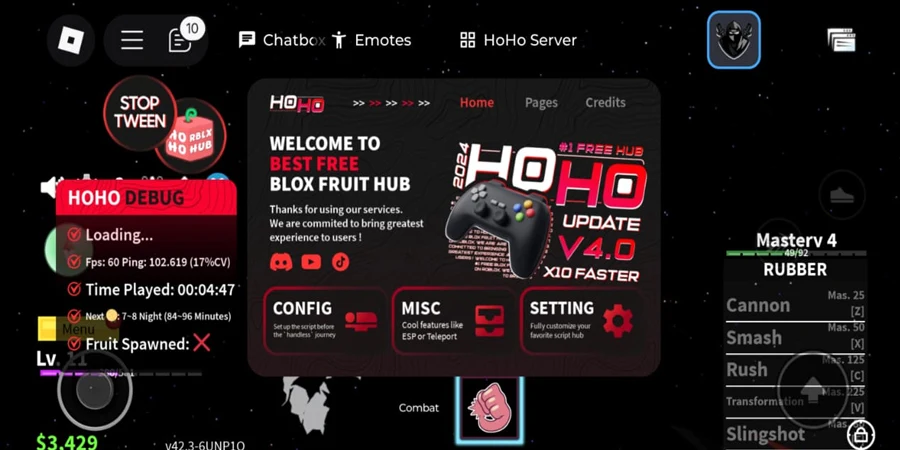
How to Run Blox Fruits Scripts Using Delta Executor
Running or executing Blox Fruits scripts through Delta Executor is a simple process. If you’re new to it, just follow the step-by-step guide below:
- Visit the official Delta Executor website — deltaexecutorios.net
- Scroll down and click the “Download” button.
- You’ll be redirected to the download page — click “Download Now” to begin downloading.
- Once the iOS file is downloaded, open your Downloads folder and tap the file to start installation.
- After installation, launch Delta Executor on your iOS device.
- When prompted, you’ll need to enter the Delta iOS key. If you’re unsure how to get it, follow the key generation guide on the official site.
- Once you’ve entered the key, you’ll gain access to the Delta GUI.
- Open Roblox, search for Blox Fruits, and tap Play to load the game.
- When the game is loaded, tap the Delta Executor icon on your screen.
- Select “Add Script” from the top-right corner.
- Paste your chosen Blox Fruits script into the text field and save it for future use.
- Finally, hit the “Execute” button to run the script.
That’s it!
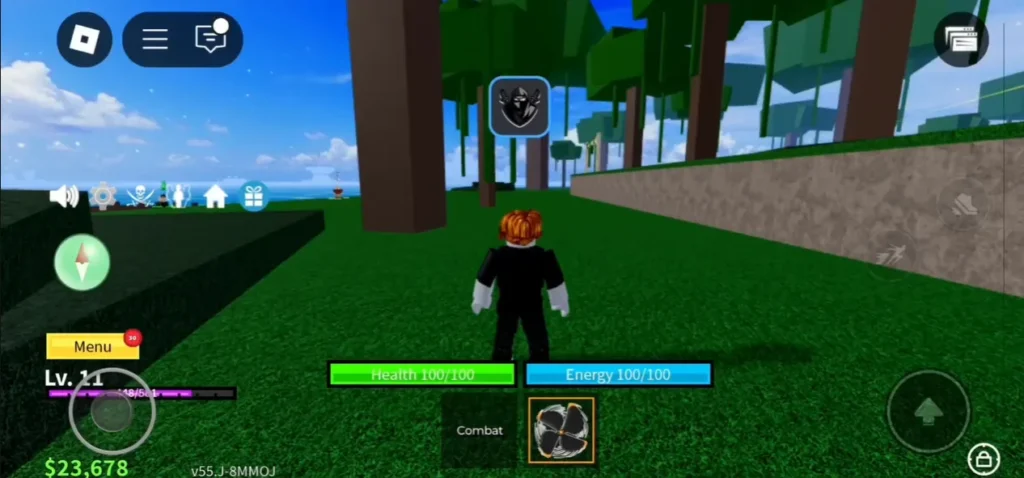
You’ve successfully executed a Blox Fruits script using Delta Executor. Follow the same process whenever you want to load or run new scripts in Roblox.